Seedream 5.0 Pro API
ByteDance's image model that edits where you point
ByteDance Seed built its new top image model for people who make posters, infographics and product shots for a living: you can mark exactly where an edit should land, split a finished image into layers, and set text in sixteen languages.
- Kind: image
- Made by: ByteDance (ByteDance Seed)
- Price: 7 credits per image 1.5K, 7 1K, 14 2K (from $0.07; 1 credit = $0.01 on monthly plans, $0.015 as a top-up)
- Released: 2026-07-08
- Open weights: no (Proprietary, API only; no weights published)
- Sizes on Unicorn: 1K and 2K (up to 2816 × 1584 at 16:9)
- Reference images: Up to 10
- Layers: Base image + up to 16 transparent PNGs
- Text languages: Chinese, English + 14 more
- Editing: Box and point coordinates in the prompt
- Aspect ratios: 8, from 21:9 to 9:16
- Weights: Closed, API only
- Inputs: size, prompt, image_url, output_format
Call it with POST https://api.unicornapi.net/v1/jobs and model seedream-5-pro-layer-decomposition, or try it in the Playground.
Where it shines
- Edits land inside the box or point you mark
- Splits one image into a base plus up to 16 transparent layers
- Dense infographics, charts and timelines in one pass
- Readable text in Chinese, English and 14 more languages
- Realistic skin, light and materials
Watch out for
- Maximum output is 2K; no 4K tier
- Very small or dense text can still break
- Character consistency across several images is weak
- Closed model: no weights or fine-tuning
Made with Seedream 5 Pro Layer Decomposition
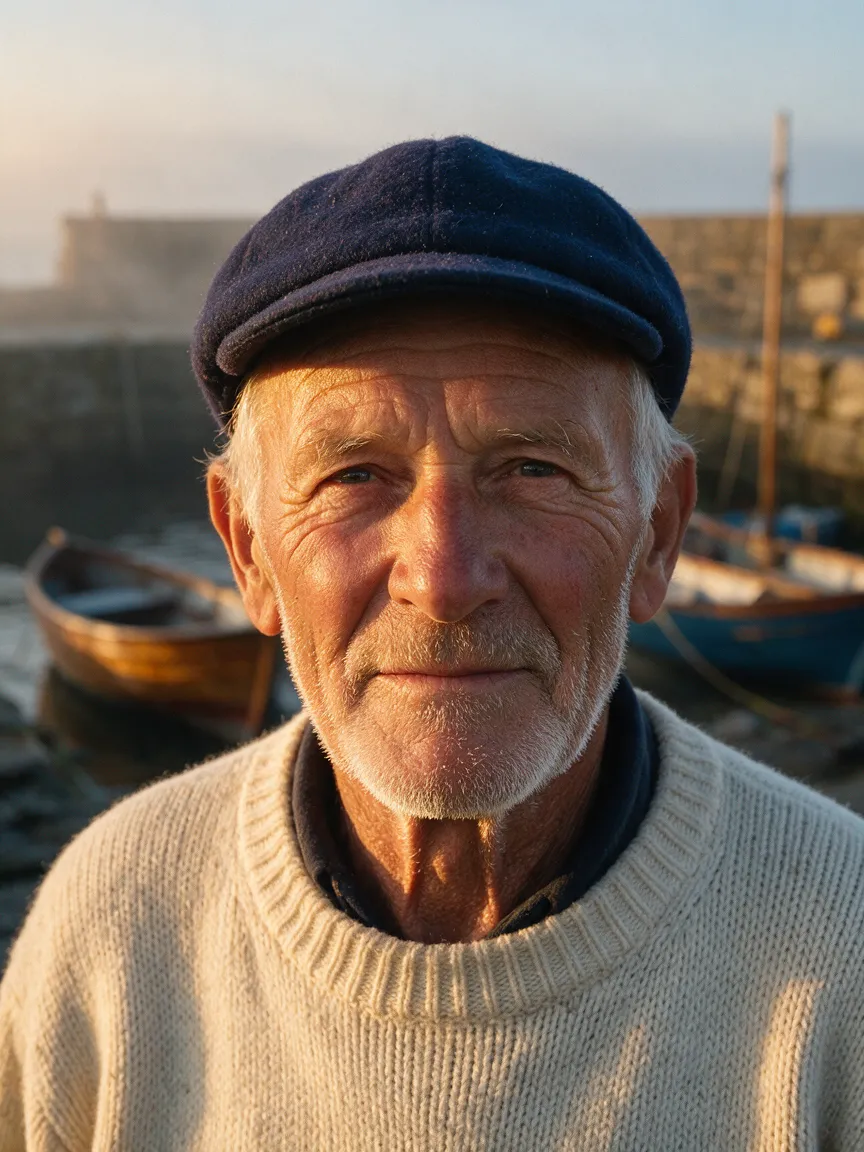

Seedream 5.0 Pro is ByteDance's new flagship image model, and its pitch is unusual for the category. Instead of promising prettier pictures, ByteDance Seed says the model "understands design": it lays out dense infographics, writes legible text in sixteen languages, renders skin and light like a photograph, and, most importantly, lets you say exactly where an edit should happen. Mark a box or a point on an image, describe the change, and the change lands there and nowhere else.
That last capability is what makes Seedream 5.0 Pro worth attention on launch day. Most image models still edit by description and hope: "make the second chair from the left green" works until it doesn't. Seedream 5.0 Pro accepts coordinates in the prompt and marks drawn on the image, and it ships with a companion mode that takes a flat, finished picture apart into a base image plus as many as sixteen transparent layers. Together they move AI images a step closer to the files designers actually work with.
On Unicorn API the model comes as two endpoints: seedream-5-pro for generation and reference-based editing at 1K or 2K, and seedream-5-pro-layer-decomposition for splitting images into layers at 1K, 1.5K or 2K.
Where Seedream 5.0 Pro comes from
Seedream is built by ByteDance Seed, the company's foundation-model research team, the same group behind the Seedance video models and the models in the Doubao assistant. The image line has moved fast. Seedream 4.0, in September 2025, folded text-to-image and editing into a single model. Seedream 4.5 followed in December with stronger consistency and typography. Seedream 5.0 Lite opened the 5.0 generation in February 2026 with output up to 3K, up to fourteen reference images, multi-image sets and web search for current subjects.
Seedream 5.0 Pro, launched on 8 July 2026, is not simply a bigger Lite. ByteDance built it around four goals: complex information visualisation, interactive precision editing, realistic imagery and portrait textures, and native multilingual input and output. Compared with earlier versions, the company says it improves across the board on image-text alignment, structural coherence, text rendering and visual aesthetics.
The API went live on launch day on Volcano Engine in China and on BytePlus ModelArk internationally, with the model also appearing in the Volcano Ark experience centre and rolling out to ByteDance's Doubao and Jimeng (Dreamina) apps.
Like every Seedream release, Seedream 5.0 Pro is closed. There are no downloadable weights, no licence for self-hosting and no technical report. ByteDance has not published a parameter count, an architecture description or benchmark scores, so what is known about the model comes from its documentation, the launch materials and how it behaves in practice.
What changed from Seedream 5.0 Lite
The best way to read the 5.0 family is as two specialists. Lite is the volume model: high resolution, batches and fresh knowledge. Pro is the precision model.
New in Pro:
- Interactive editing. Edits can be targeted by coordinates, boxes, points, lasso selections, arrows or sketches. ByteDance's demos include recolouring an object to an exact Hex code or a supplied swatch, swapping a material, adding motion blur to one subject and merging people from several photos into one group shot.
- Layer separation. A finished image can be decomposed into a base image plus up to sixteen independent layers with transparency.
- Information visualisation. Timelines, charts, labelled diagrams and text-heavy layouts, combined with realistic imagery in the same frame.
- Sixteen languages. Besides Chinese and English, the documentation lists Russian, Arabic, Filipino, Thai, Turkish, Korean, Malay, Spanish, Portuguese, Indonesian, French, German, Vietnamese and Japanese, for both prompts and text rendered in the image. Arabic is laid out right to left.
- Two prompt-optimisation modes. A standard mode tuned for quality and a fast mode that trades some quality for speed.
Where Lite still goes further:
- Resolution. Pro stops at 2K; Lite offers 3K.
- References. Pro takes up to ten reference images; Lite takes up to fourteen.
- Sets, streaming and search. Pro returns single finished images. It does not generate the multi-image sequences Lite can, does not stream partial results, and has no web search.
That trade is deliberate. A designer correcting a product shot or a localisation team rebuilding a poster in eight languages gains more from precise edits and editable layers than from extra pixels.
How the editing and the layers work
Coordinate editing. The prompt can carry <bbox>x1 y1 x2 y2</bbox> and <point>x y</point> tags. The numbers are normalised to the image rather than measured in pixels (ByteDance's documentation uses a 0 to 1000 grid), so a box over the lower-right quarter of any image is roughly <bbox>500 500 1000 1000</bbox>. With several references you call them image 1, image 2 and so on, which turns compositing into a sentence: take the object in this box of image 1 and place it in that box of image 2. You can also draw boxes, arrows or notes on the reference itself and describe what each mark means. The model is meant to change only the marked region, leaving the rest of the pixels alone, which is what separates this from regenerate-and-hope editing.
Layer decomposition. The second endpoint works in reverse. Send one PNG or JPEG, up to 30 MB and between 262,144 and 36 million pixels, and the model returns a base image plus up to sixteen separated elements: the subject, headline text, decorative shapes and background objects. Each layer is a transparent PNG, and the response gives every layer a short name, a description, a stacking order and its bounding box in absolute and normalised coordinates. Areas of the background that were hidden behind an extracted subject are filled in, so the base image stands on its own. Without a prompt the model picks the main elements itself; with a prompt you can name what to separate or box it with <bbox> tags.
For anyone building a template editor, an ad-localisation pipeline or a design tool, this is the interesting part: a generated poster becomes a stack you can reorder, translate and resize instead of a dead end.
Specs at a glance
| Seedream 5.0 Pro on Unicorn API | |
|---|---|
| Endpoints | Generation and editing; layer decomposition |
| Sizes | 1K and 2K (e.g. 1024 × 1024 and 2048 × 2048 at 1:1, 2816 × 1584 at 16:9) |
| Aspect ratios | 16:9 (default), 1:1, 9:16, 21:9, 4:3, 3:4, 3:2, 2:3 |
| Reference images | Up to 10 (ref_images) |
| Images per request | 1 to 4 (n) |
| Output format | PNG (default) or JPEG |
| Layer decomposition | One input image; size auto, 1K, 1.5K or 2K; base plus up to 16 PNG layers |
| Text languages | Chinese, English and 14 more |
| Weights | Closed, API only |
Where Seedream 5.0 Pro is strong
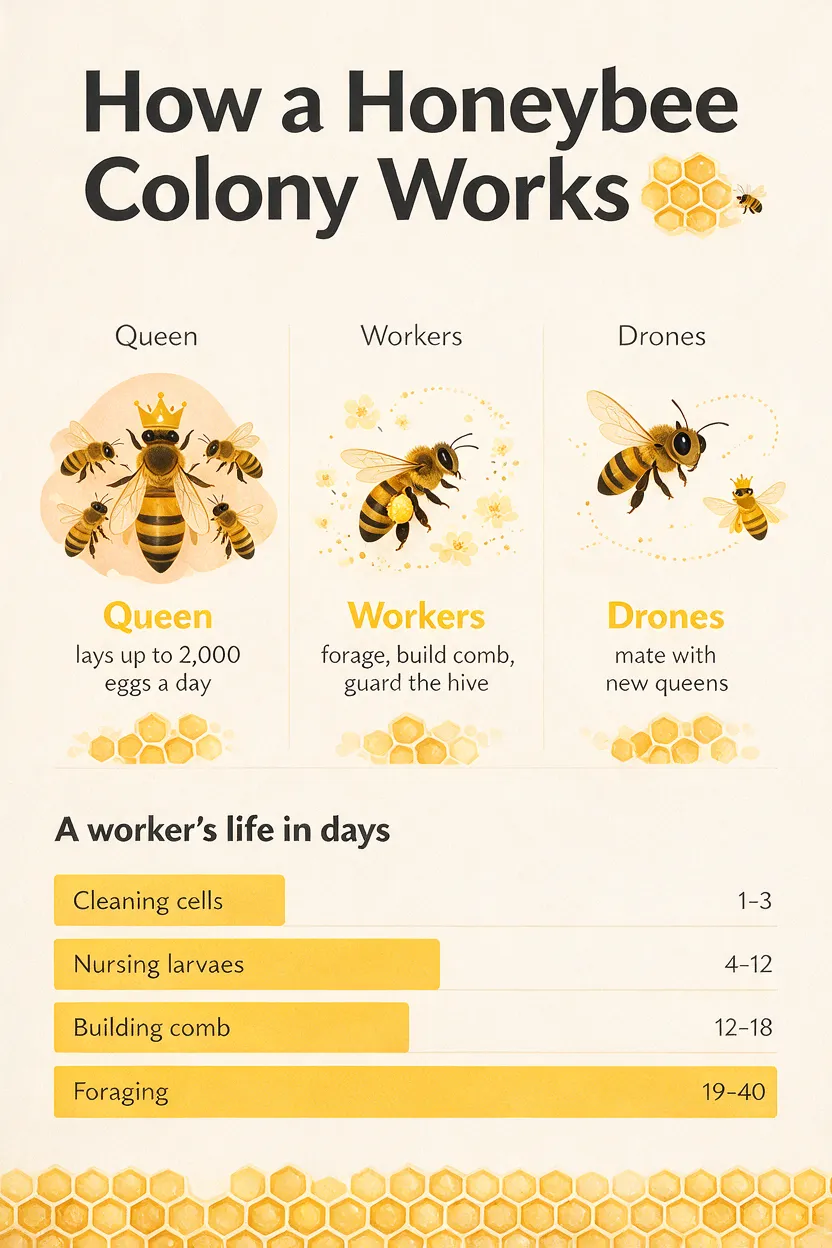
Infographics and explainers. Ask for a timeline, a labelled diagram or a chart with real values and Pro produces a layout that holds together: titles, sections, icons and data in one coherent design. Early testers found the charts render cleanly and multi-element layouts stay organised, which makes it a practical tool for education content, reports and social explainers.
Precise retouching. The early hands-on reviews in China kept returning to the same point: edits land where you mark them. Testers replaced furniture in a room photo, recoloured individual items and removed objects in a single request with several marks, without disturbing the rest of the picture. Material swaps inside a marked region worked well in 36Kr's seventeen-case test.
Photographic realism. Skin texture, fabric, reflections and natural light are a stated focus, and portraits and product photography were among the strongest results in launch-week testing. Several reviewers judged its overall image quality and prompt understanding to be close to OpenAI's GPT Image 2.
Text in many languages. Poster headlines, menus and packaging mock-ups come out readable, including dense Chinese menus with dozens of items in one reviewer's test, and same-layout versions in English and French. For brands working across markets, rendering Arabic, Thai or Vietnamese directly is a real time saver.
Turning renders into assets. Generate a poster, decompose it, and hand the layers to a design tool or your own code. Few image models offer this at all.
Weaknesses and limits
Small text is still fragile. ByteDance itself says there is "still room to improve in finer-grained text rendering and pixel-level editing consistency". Headlines and short copy are reliable; fine print, small labels inside infographics and background signage can come out misspelled or as near-words. Proofread anything with body text.
Charts are drawn, not calculated. If you ask for a chart without giving the numbers, the model invents plausible values. Supply the data in the prompt.
Character consistency across images. Keeping the same person consistent over a series of images, as in a storyboard, is weaker than single-image quality. Feeding the original portrait back as a reference each time helps.
2K is the ceiling. There is no 3K tier, so print work and large banners need an upscaler or Seedream 5.0 Lite at 3K.
Decomposition is the model's judgement. It decides what counts as an element. One reviewer saw a single aluminium window frame split into the wrong pieces. Name or box the elements you need when it matters.
Very long prompts. Extremely long briefs can lead the model to drop instructions. Keep prompts structured and put exact text in quotes.
Closed. No fine-tuning and no self-hosting.
How to prompt Seedream 5.0 Pro
Structure helps: subject first, then setting, light and style, then any exact text in quotation marks, with its position. Name the language when the text is not English or Chinese, and give real numbers for charts.
An infographic:
A clean vertical infographic titled "How a Honeybee Colony Works", three illustrated sections for the queen, workers and drones with one-line labels, a horizontal bar chart titled "A worker's life in days" with bars "Cleaning cells 1-3", "Nursing larvae 4-12", "Foraging 19-40", honey-yellow and charcoal palette, flat vector style
A targeted edit with one reference:
In image 1, change the armchair at
<bbox>120 420 480 900</bbox>to dark green velvet, keep the lighting, the floor and every other object exactly as they are
Compositing from two references:
Place the ceramic vase from image 1
<bbox>300 150 700 950</bbox>on the oak sideboard in image 2<point>610 540</point>, match the soft window light of image 2, keep the vase's glaze and shape unchanged
A guided decomposition (layer decomposition endpoint):
Separate the headline text, the person and the round badge in the top right corner
Tips: set aspect_ratio explicitly, since the default is 16:9. Explore at 1K, then re-run the keepers at 2K. Use PNG for anything you plan to edit further.
Seedream 5.0 Pro versus other models in the catalog
- Seedream 5.0 Lite is the choice for 3K output, image sets and subjects that need web search. Pick Pro when you need coordinate edits, layers or multilingual text.
- Nano Banana Pro is Google's premium image model, a good fit for reasoning-heavy prompts and detailed text. Seedream 5.0 Pro adds layer decomposition and region-precise edits.
- GPT Image 2 held very small and dense text more reliably in early side-by-side tests and offers conversational editing. Reviewers rate the two close on overall quality; Seedream's edge is region-precise control and layers.
- Nano Banana 2 is a fast, capable all-rounder for general generation and editing.
- FLUX.2 Pro and Wan 2.7 Image Pro are strong photographic generators without Seedream's editing and layer tools.
The short version: if your work is designing, correcting and localising images rather than just generating them, Seedream 5.0 Pro is the model to start with.
A localisation workflow, step by step
The combination of features in Pro fits one job particularly well: taking a single poster or ad into several markets. Generate the master at 1K with the headline in quotation marks and its position spelled out, iterate until the layout is right, then re-run it at 2K. Send the final image to the layer decomposition endpoint with a prompt that names the parts you need apart, such as the headline, the product and the badge, and keep the returned names, boxes and stacking order.
From there, each market gets its own pass. Either swap the text layer in your own design tool, or go back to the generation endpoint with the master as a reference and a <bbox> around the headline, asking for the same line in French, Arabic or Thai and naming the language in the prompt. Because the edit stays inside the box, the product shot and background stay identical across versions. Proofread every version, since fine print is where the model still slips.
Getting started
Open the Seedream 5.0 Pro playground to try prompts and reference edits in the browser, or switch to layer decomposition to split an image. For code, create a key on the API keys page and follow the docs: send a job to /v1/jobs with the model id seedream-5-pro, a prompt, and optionally aspect_ratio, resolution and ref_images, then poll for the result. The API tab on this page has complete examples.
Verdict
Seedream 5.0 Pro is the first Seedream built around what happens after generation. Coordinate-precise edits, layer decomposition and sixteen-language typography make it a working tool for designers, marketers and anyone building image editors, and early reviewers put its photographic quality close to the best closed models of the moment. It stops at 2K, small text still needs a proofread, and the weights stay closed. For infographics, multilingual posters and targeted retouching, though, it is one of the most practical image models available today.
Best for
- Infographics and explainer graphics
- Multilingual posters and ads
- Targeted retouching and compositing
- Product and portrait photography
- Turning renders into editable layers
Frequently asked questions
Is Seedream 5.0 Pro open source?
No. ByteDance offers Seedream 5.0 Pro only through its own apps and APIs. No weights, self-hosting licence or technical report have been published.
How do I point Seedream 5.0 Pro at the part of an image to edit?
Put <bbox>x1 y1 x2 y2</bbox> or <point>x y</point> tags in the prompt, using coordinates on a 0 to 1000 grid rather than pixels. You can also draw boxes, arrows or notes on the reference image and describe what each mark means.
What is the difference between Seedream 5.0 Pro and Seedream 5.0 Lite?
Pro adds coordinate-precise editing, layer decomposition, sixteen text languages and stronger infographics. Lite goes up to 3K, accepts more reference images and can generate image sets and use web search.
Can Seedream 5.0 Pro split an image into layers?
Yes. The layer decomposition model takes one image and returns a base image plus up to 16 transparent PNG layers, each with a name, description, stacking order and bounding box.
Does Seedream 5.0 Pro support 4K?
No. Its largest size is 2K, for example 2048 × 2048 at 1:1 or 2816 × 1584 at 16:9. Seedream 5.0 Lite offers 3K output.
Which languages can Seedream 5.0 Pro write in images?
Chinese and English plus Russian, Arabic, Filipino, Thai, Turkish, Korean, Malay, Spanish, Portuguese, Indonesian, French, German, Vietnamese and Japanese, including right-to-left Arabic layouts.